FYI – This is a NON-AFFILIATE POST. I am NOT getting paid anything to write this.
I registered my domain, Beck.id, in 2024 so I could have a personalized e-mail address. More on that story here in my Hello, Word post. Prior to January 2026, I only had a one page static HTML landing page. If you want to see what the old website looked like, you can preview it here.
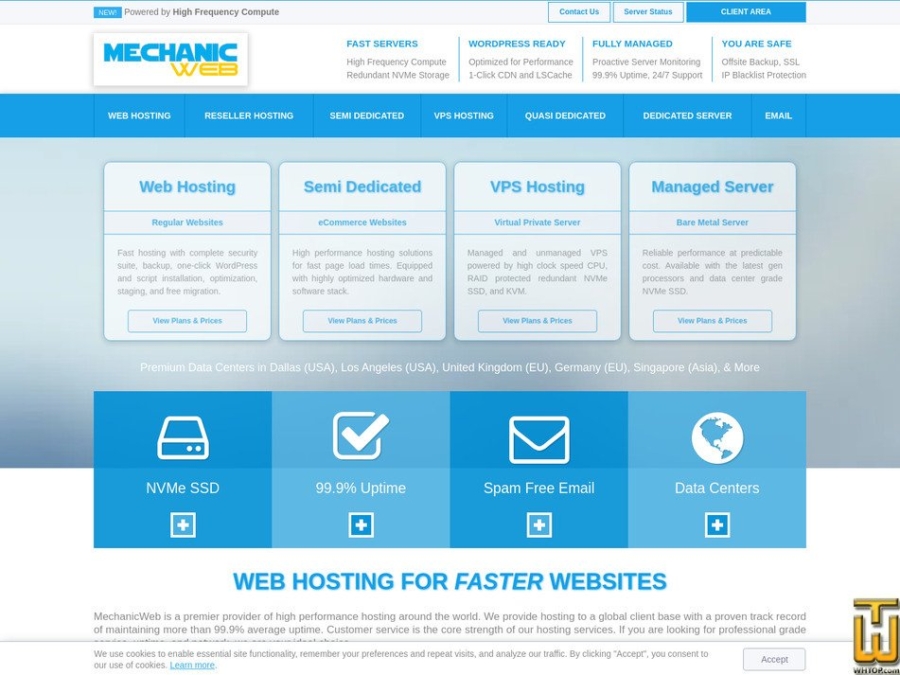
When I decided I wanted to start blogging about projects I’m working on and start documenting my notes I can refer back to, I knew I needed WordPress. That meant signing up for a web hosting company, since my previous static HTML website was hosted with my Fastmail subscription (they only offer HTML web hosting.) I have been looking at MechanicWeb for at least 5 years, but I never went with them because of the cost. It’s not that they’re super expensive, but I have always been able to get web hosting for less than $2/month. I didn’t care about specs since all of my websites have been very low-key. This time around, I decided I wanted a quality provider because I want everything to be fast, and I don’t want to have to worry about switching providers in a couple of years. MechanicWeb has been around since 2008, which is a long time in the web hosting industry. They have yet to sell out to a big provider (and I hope they never do!)
MechanicWeb Review
I signed up for MechanicWeb’s Smart cPanel web hosting plan in January 2026. It’s their cheapest plan, and it allows me to host one additional website at no additional cost. This is perfect since I can host my husband’s website, TedGautsch.com, which he has been using since 2020. MechanicWeb uses the latest hardware to ensure your website loads fast. At the time of this writing, their servers are powered by AMD Ryzen 9950X CPUs. The base clock of that CPU is 4.3 Ghz, and can boost up to 5.7 Ghz. MechanicWeb gives you a generous 1 full CPU core with their Smart plan. With bigger web hosting providers, you may be lucky to get 1/2 of a CPU cores. Not only that, the bigger hosts use old Intel CPU cores (yes, I’m talking about you HostGator.) The faster the CPU clock speed, the faster your website will respond, as long as the servers are not over-loaded. They’re also using PCIE 5.0 NVMe storage, which is the fastest storage you can get.
When I am logged into my WordPress admin panel, everything loads instantly. When I have been with other web hosting providers, I can remember clicking on posts within the admin panel and waiting for things to load. It wasn’t horribly slow, but I would notice that pause or certain parts of the website loading at different times.
Redis Support
The main reason for Redis’s speed is that it stores data in a server’s main memory (RAM) rather than on slower disk drives. This allows for sub-millisecond response times, enabling applications to handle millions of requests per second. Most web hosting providers support Redis (if they don’t, you should look for a new provider immediately.) Where MechanicWeb stands out is they let you enable Redis on your own without having to contact support. One of my previous web hosting providers, SimpleSonic.com, you had to contact support to enable Redis. While this may not be a big deal if you are familiar with Redis, it was a nice touch to see MechanicWeb offer the feature natively to their customers without having to contact support.
MechanicWeb advertises in your cPanel with clear instructions on how to enable Redis:

Support
I had to contact MechanicWeb twice for support after signing up. They were very fast on the first ticket (12 minutes to respond after opening the ticket) but very slow on the second ticket (4 hours and 40 minutes!) The first ticket was to assign me an IPv6 address and second ticket to enable SSH access on my account. MechanicWeb said IPv6 remains disabled by default. They do not recommend using it unless there is a technical requirement. While I don’t agree with that statement, it was easy enough to get it enabled.
I typically don’t need SSH access enabled on my web hosting accounts, but I wanted to run some commands to verify the server load and CPU type. One thing I don’t like is when web hosting providers don’t show the entire server information within cPanel. Typically you should be able to see the server load, hard disk usage, etc. MechanicWeb hides this, so you have to run SSH commands to get this info.
Not much info when checking sever information in cPanel:
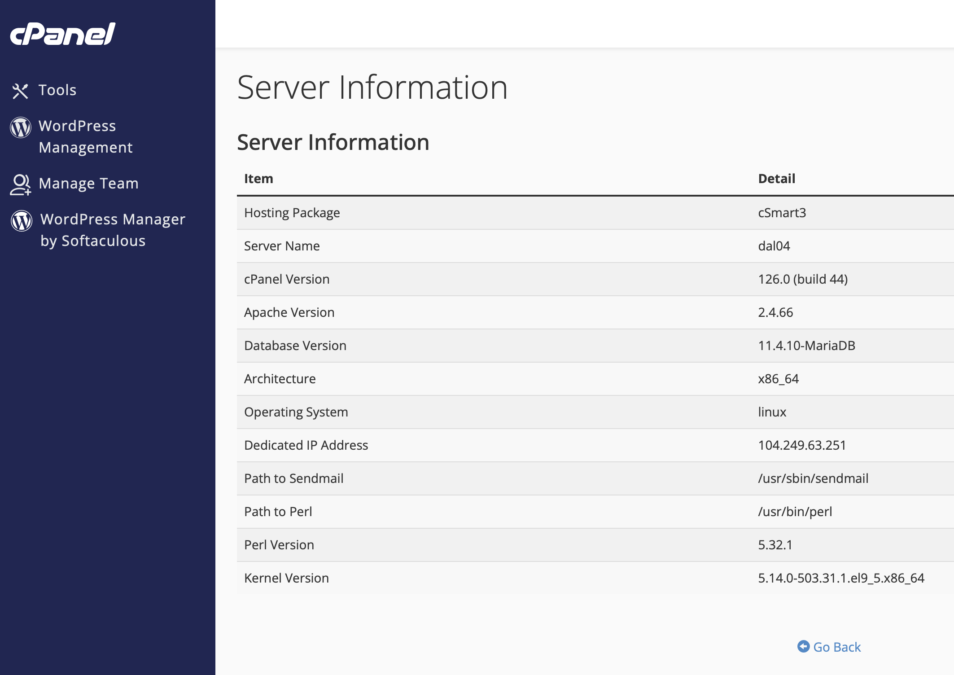
When I see this, it makes me feel like the web hosting provider is trying to hide information. I have reached out to previous providers to get them to show me the information in the past. I did not do that with MechanicWeb because I can check the stats myself using SSH access. In the past, providers have claimed they disable the server information because customers read the information wrong. While that is probably true, I want to see it as a tech person.
MechanicWeb’s servers are not overloaded:
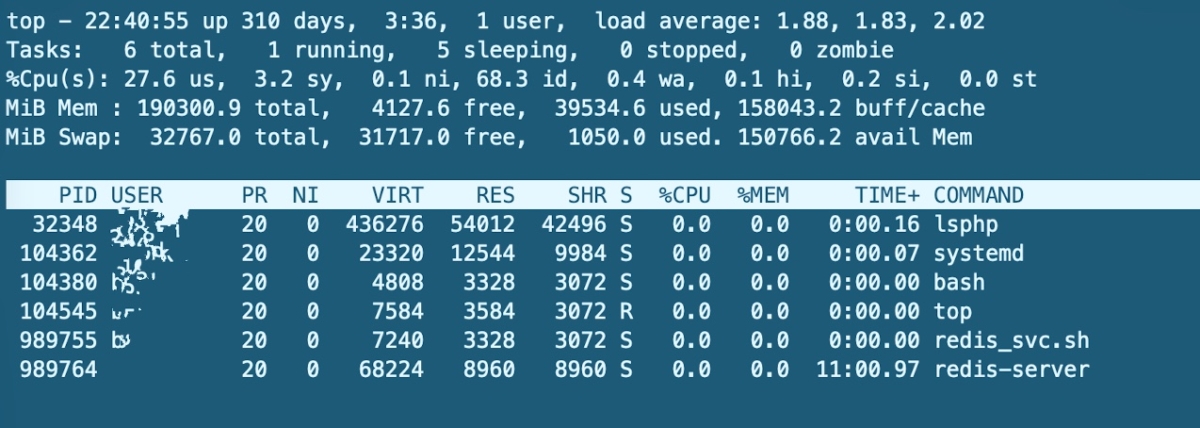
As you can see from my TOP ssh command above, the load average is less than 2.0. That is phenomenal for a server load. That means MechanicWeb is not overloading their servers, and because of their high frequency CPU cores, customer’s websites can load faster, which means less stress on the CPU.
Uptime
My website has been hosted with MechanicWeb for less than a month at the time of this writing. However, for people finding this review in the future, I have created an Uptime report card using HetrixTools. You can view this report card at anytime to see how long my website has gone without an outage. I will be sure to update this post yearly.
Final Thoughts
First impressions with MechanicWeb are a 9 out of 10. I am very impressed with their servers and how fast my website loads. I like that they have been around since 2008 and have not sold out to the big web hosting providers (yet) which happens way too often in this industry. The reason why I did not give them a 10 out of 10 is because the hidden cPanel information and a nearly 5 hour response time to my second support ticket. However, their pricing is very competitive for what they are offering. If I’m being honest, going from $2 per month for a low budget provider to $6 per month for a much better provider is not going to break the bank. A while back I was with HostMantis, but they sold, went downhill, and I had to find a new provivder. I don’t want to have to keep jumping ship. I feel like I’m not going to have to do that with MechanicWeb.