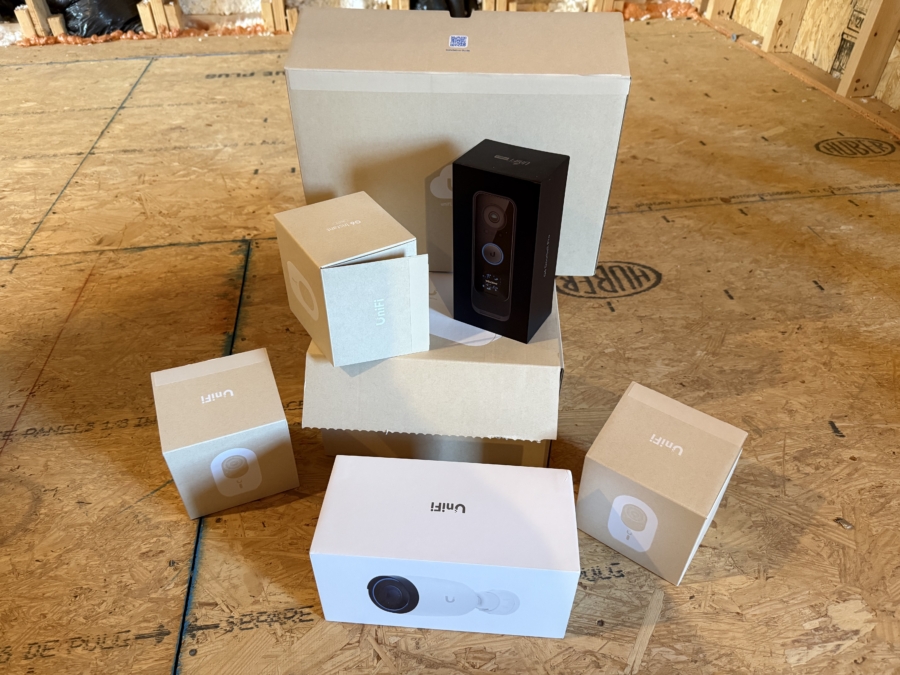
In 2025 I upgraded our home network to Ubiquiti. We have 1Gig AT&T fiber Internet and pay $55 per month. A little hint to save money if you have AT&T fiber is to have a chat with AT&T support on Facebook to see if they can help you lower your bill. I was able to get us down to $55 per month permanently for 1Gig Internet. The discount does not expire, which was a very nice surprise!
Ubiquiti is a prosumer brand. Their products are not as easy to setup as going to Best Buy and buying a Netgear router. Ubiquiti is meant for businesses, but many tech enthusiasts purchase their products for home use because of the quality and the configuration options.
Ubiquiti Products Purchased for Network Upgrade
- Cloud Gateway Fiber – I went with this for a number of reasons. It has an SFP+ port, which is important because I use a WAS-110 SFP+ stick to bypass AT&T’s gateway (more on that below.) It also has PoE port that I use to power my Yealink VOIP desk phone. Lastly, it has a slot for an NVMe hard drive that I use to record 24/7 footage from our Ubiquiti cameras.
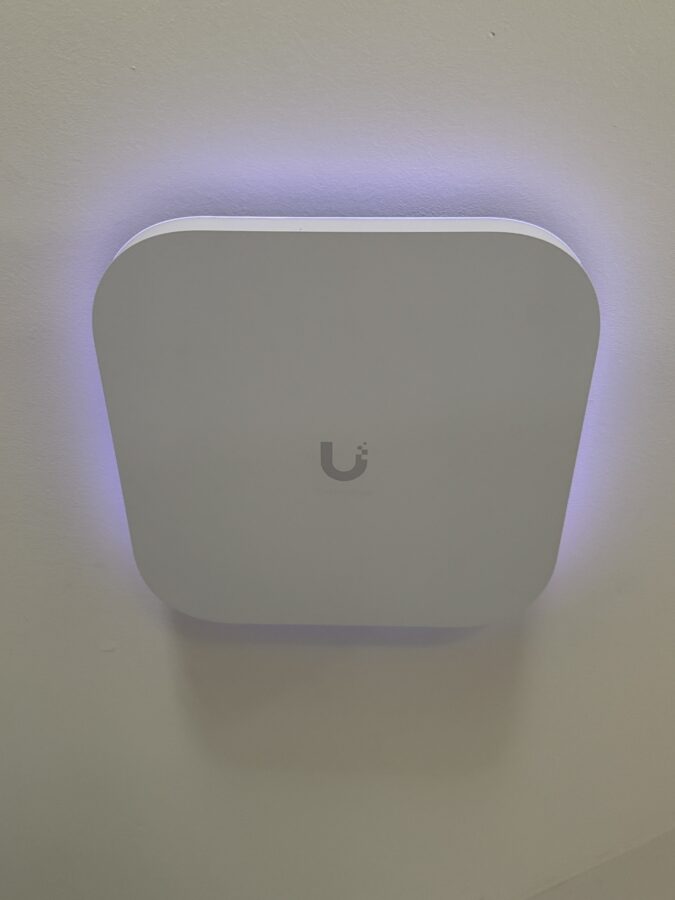
- E7 Access Point x3 – I have one for the downstairs, another for the upstairs, and an E7 Campus model for the backyard. The E7 access points provide phenominal coverage when configured correctly.
- Pro XG 8 PoE – This switch is 10GbE, which is great for speed. I also upgraded our NAS last year from Synology to UGreen and it has a 10GbE port. I can transfer files to the NAS at about 500-700 Mbps.
- AI Pro camera – This is for our driveway. It is a PoE camera, which runs to the Pro XG 8 switch.
- G4 Doorbell Pro – Doorbell security camera. This thing is awesome, because it has a fingerprint reader. With Home Assistant we can unlock our front door with the touch of our finger.
- G6 Instant camera x3 – WiFi security cameras that cover the entire backyard.
Here is a photo of one of the E7 access points mounted to the ceiling:
AT&T Gateway Bypass with the WAS-110
AT&T does not natively allow you to bypass their gateway. Internet providers should allow you to bring your own gateway, but AT&T doesn’t want to support it and they want to take away features like configuring your own DNS provider. This way AT&T has you use their DNS servers when you visit websites, which is an invasion of privacy in my opinion.
A number of years ago, it was discovered that you can buy a WAS-110 SFP+ stick and configure it with your AT&T’s gateway information to bypass their equipment. I purchased mine before COVID and tarrifs, so it cost me around $140. The one caveat is your new gateway needs to have an SFP+ port that can be used for the WAN. This is why I purchased the Ubiquiti Cloud Gateway Fiber as my new gateway.
AT&T is fully aware of the bypass method. I belong to a networking Discord channel and there are AT&T employees in the group as well, and they have confirmed AT&T’s awareness. Thankfully, the number of users that bypass AT&T’s gateway is small enough that they don’t want to spend the time and resources to stop this. Let’s be honest though, as an ISP they should allow this from the start. It’s very anti-consumer and most other ISP’s already allow it.
If you want additional information on how the bypass method works, you can read the Wiki guide here.
Final Thoughts
Ubiquiti is a great brand. I highly recommend them to anyone that wants to step up their game and have a more professional home network. If you like to tinker with networking and want essentially every option available to you that allows you to configure your network the way you want, then Ubiquiti is for you. Based on my experience setting up our new network, I believe a 2-level home that is around 2,700 square feet could most likely get away with one E7 access point if it was centrally located on the first floor. I initially started with one E7 access point on the first floor, and it blanketed the house with WiFi coverage. The only reason why I added a second E7 access point up stairs is because I already had the hole in the ceiling where the Ethernet wire drops from a previous Ubiquiti install.